Step-by-Step Guide to Integrate ReachStream with HubSpot CRM
Many teams rely on HubSpot to manage lead nurturing, automate campaigns, and track pipeline progress—but these efforts become less effective when the CRM contains incomplete, outdated, or inconsistently sourced data.
Inaccurate data can decrease segmentation accuracy, disrupt automation processes, and limit the overall effectiveness of marketing and sales efforts. Consequently, teams struggle to maintain clarity, confidently execute campaigns, and achieve consistent results within HubSpot.
Connecting ReachStream with HubSpot CRM creates a solid database by providing verified, organized contact and company data that enhances accuracy across all workflows. With this improved data quality, teams can better target, boost automation, and work more consistently in their sales and marketing efforts.
To ensure a smooth setup, let’s clearly understand how ReachStream data can be integrated with HubSpot CRM in a systematic and efficient manner.
The Benefits of Integrating ReachStream with HubSpot CRM
Stronger Lead Pipeline and Faster Deal Progression
Connecting ReachStream with HubSpot delivers verified, current contact and company data that boosts both inbound and outbound pipelines. Accurate data integrated into HubSpot CRM sharpens lead qualification, helping sales teams focus on the right prospects and speed up deal closing.
Enhanced Targeting and Higher Engagement
Integrating ReachStream with HubSpot strengthens segmentation accuracy by using verified contact and firmographic data. Improved data precision leads to better audience segmentation and enables messaging tailored to specific market groups, which results in higher engagement and stronger conversion rates.
Operational Efficiency and Reduced Costs
Integrating ReachStream data into HubSpot streamlines essential processes by automating inputs, reducing errors, and avoiding duplicates. This improves workflow reliability, cuts manual work, and improves reporting—lowering operational costs and boosting productivity in sales and marketing.
Key ReachStream Features That Refine HubSpot CRM Workflows
Extensive Global Verified Data Network
ReachStream provides access to a broad global database of 200M+ verified contacts and 15M+ company profiles across 150+ countries. HubSpot teams gain from reliable, high-quality data that minimizes manual research and enhances targeting precision in campaigns.
Industry-Focused Data Coverage
ReachStream provides specialized datasets across 400+ industries, including technology, healthcare, manufacturing, and more. These industry-specific insights help teams find highly relevant contact and firmographic data aligned with their marketing and sales strategies.
Multiple CRM Integration Framework
ReachStream supports multiple CRM integrations simultaneously, allowing teams to coordinate and keep data synchronized across various platforms. This flexibility eliminates system limitations and promotes scalable, seamless workflow management.
Email Validation for Improved Deliverability
All email records are verified using ReachStream’s in-built verification system to ensure accuracy and achieve a 90% deliverability rate. As a result, outreach becomes more dependable, bounce rates decrease, and email workflows operate more efficiently.
How to Integrate ReachStream Data into Your HubSpot CRM
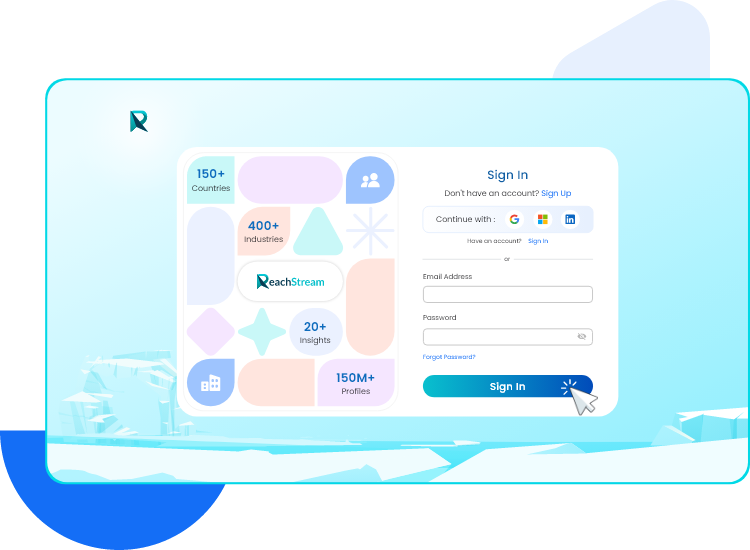
Sign In to Your ReachStream Dashboard
To begin the HubSpot CRM integration, sign in to your ReachStream account using your business email credentials.
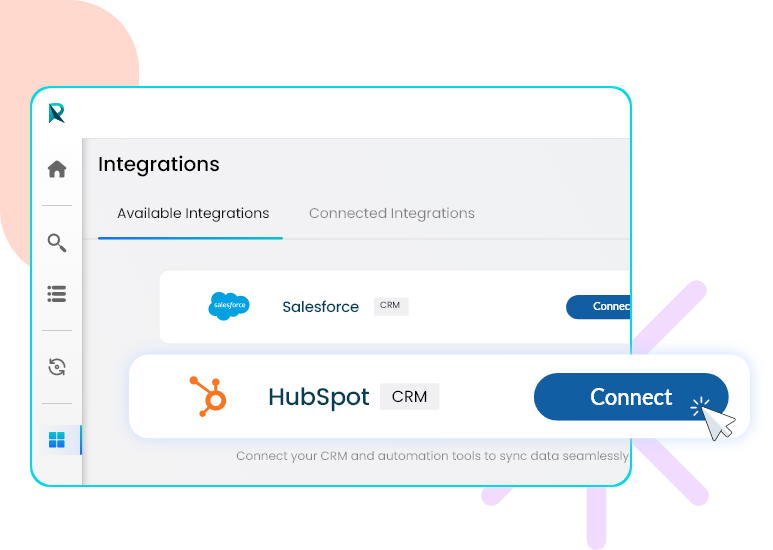
Access the Integrations Section
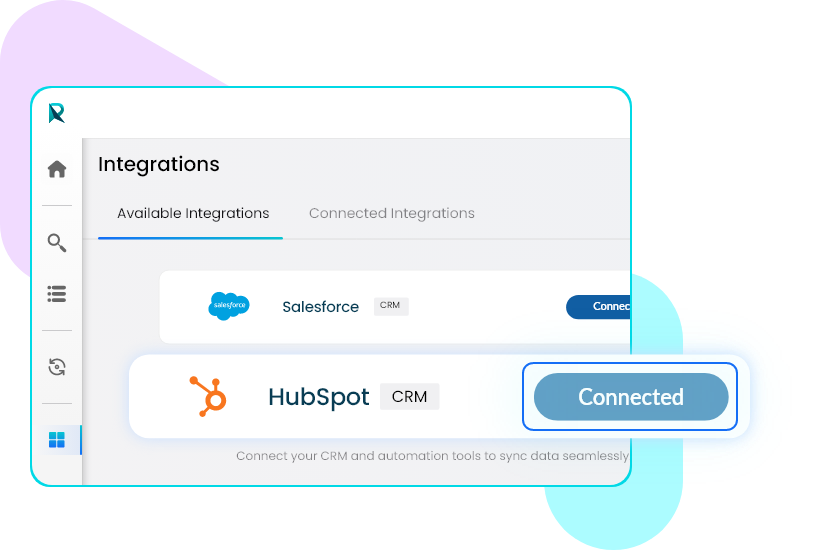
After signing into your ReachStream account, go to the left-side menu and select the Integrations icon. This section shows all available CRM connections, including HubSpot, and is the starting point for setting up your integration.
Click the Connect button next to HubSpot to initiate the integration.
Sign In or Create Your HubSpot Account
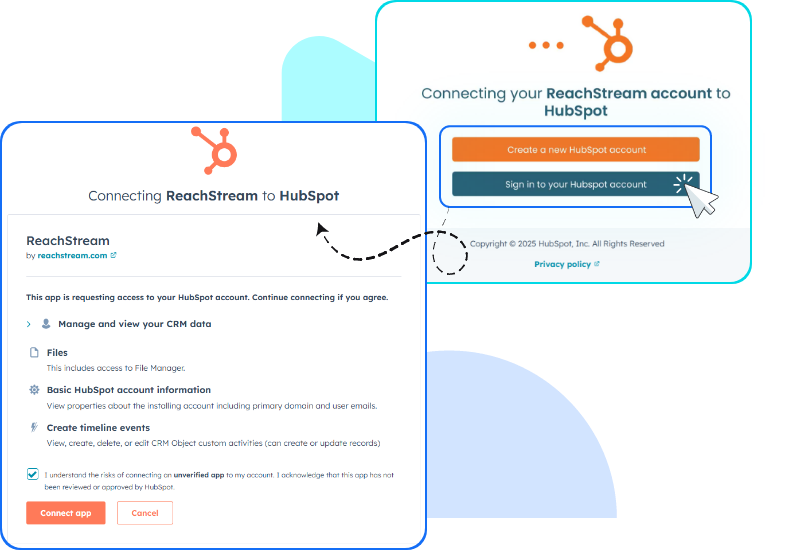
When you click Connect for HubSpot, you’ll be taken to HubSpot’s authentication page. If you’re new to HubSpot, select Create a new HubSpot account. If you already have an account, just choose Sign in to your HubSpot account to continue with the integration.
Then grant permission by ticking the checkbox and selecting the Connect app to approve the integration connection.
Check HubSpot Connection
After signing up to your HubSpot account, your HubSpot status will now display as Connected in the ReachStream Integrations panel, showing that both platforms are successfully linked.
Confirm Your Connected Integrations
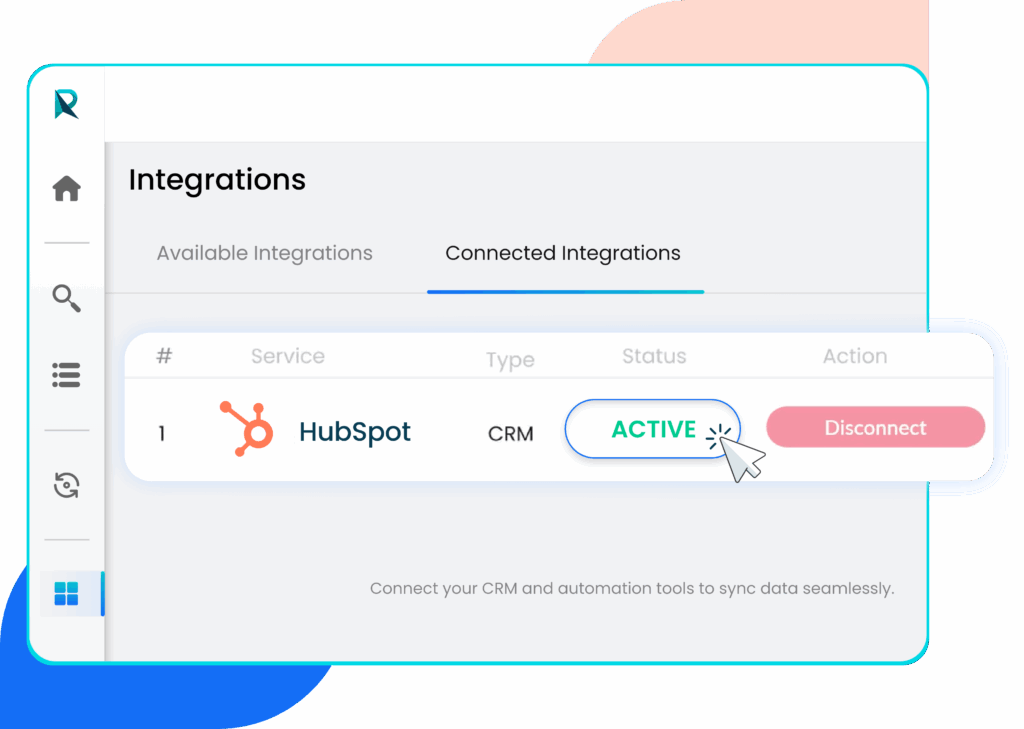
Go to the Connected Integrations tab to see your linked CRMs. HubSpot will appear with a status of ACTIVE, confirming the connection.
Upload Your Ready to Download List to HubSpot CRM
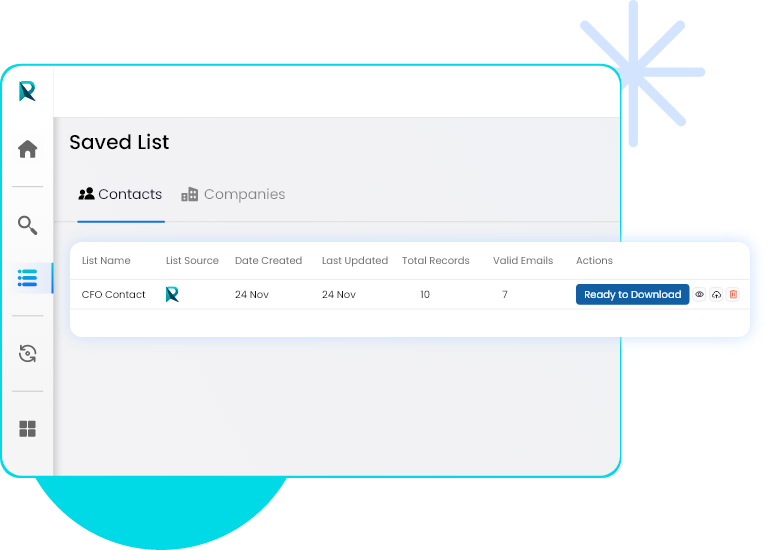
Once your ReachStream account is connected to HubSpot, go to the Saved List section on your ReachStream dashboard. Select the verified list ready for download, then click the Upload icon to send your contacts directly into your HubSpot workspace.
Select HubSpot and Complete the Sync
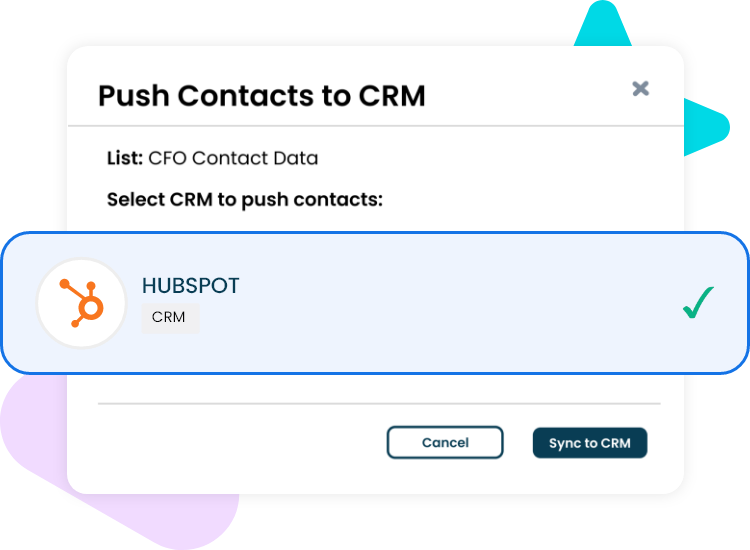
After clicking the Upload icon, a pop-up window will appear showing your available CRM connections. Select HubSpot and click Sync to CRM to start transferring your contacts. Once the sync is complete, you will see a confirmation message indicating that the export was successful.
View Your Synced Contacts in HubSpot CRM
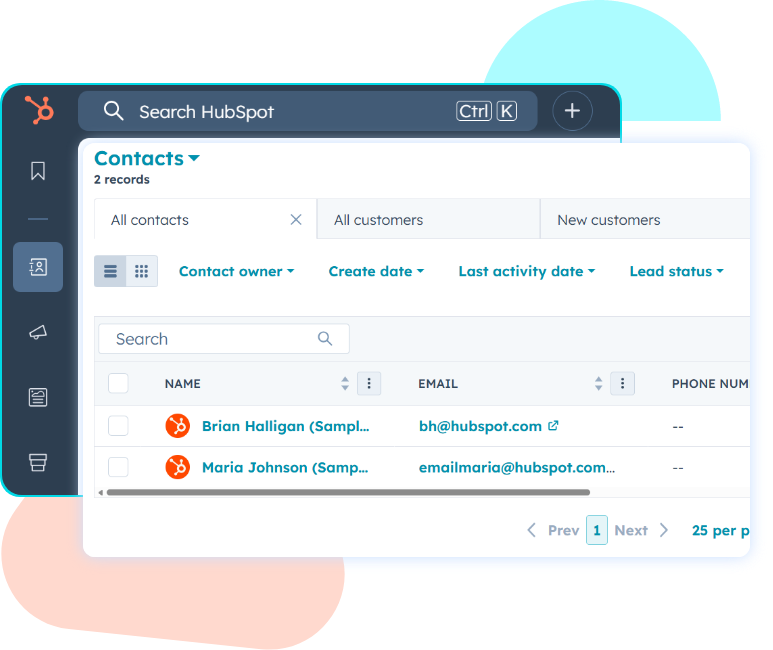
Once the sync finishes, open your HubSpot CRM and go to the Contacts section. All contacts exported from your ReachStream list will now show up in your HubSpot database, and you can add these contacts to your outreach workflows.
How to Integrate ReachStream Data into Your HubSpot CRM
Transform Your HubSpot Workflows with High-Quality Data
Connecting ReachStream with HubSpot provides your CRM with accurate, globally verified data that improves targeting and boosts every customer interaction. The integration simplifies daily workflows, cuts down manual effort, and maintains consistent data quality—helping your teams run campaigns more precisely and achieve better sales and marketing results.
1. How does ReachStream improve HubSpot CRM performance?
ReachStream improves HubSpot by providing accurate data that boosts lead qualification, targeting, and workflow efficiency. These enhancements help teams run more targeted campaigns, cut down manual effort, and attain faster, more consistent sales and marketing results.
2. How does ReachStream enhance data sourcing for HubSpot?
ReachStream offers access to 200M+ verified contacts and 15M+ company profiles across 150+ countries, providing teams with a comprehensive and dependable data foundation. This minimizes manual research and enhances targeting precision for HubSpot-based campaigns.
3. How can teams benefit from ReachStream’s industry datasets?
With comprehensive data spanning over 400 industries, ReachStream provides teams with accurate business and firmographic insights. These insights help in developing marketing and sales strategies tailored to specific industry segments.
4. How does email validation enhance HubSpot outreach performance?
ReachStream verifies every email using its built-in system to ensure accuracy and deliverability. This lowers bounce rates and improves the reliability and effectiveness of email workflows.
5. How does ReachStream enable flexible CRM integrations?
ReachStream allows users to keep active connections with multiple CRM systems at once, ensuring continuous and synchronized data flow. This flexibility supports adaptable workflows without platform restrictions.