Guide to Integrate ReachStream Data with Salesforce CRM
Many companies find it difficult to optimize Salesforce performance when their data comes from disconnected systems or outdated sourcing methods. These issues weaken segmentation accuracy, make prioritization less effective, and create uncertainty in sales and marketing operations. When decisions are based on inconsistent data, the organization’s ability to execute its strategy with precision and confidence drops significantly.
Integrating ReachStream with Salesforce CRM replaces these challenges with verified, structured contact and company data that supports a stronger sales and marketing ecosystem. Accurate records allow teams to improve targeting, stay aligned, and ensure that Salesforce reflects current market realities rather than outdated inputs.
To improve your CRM’s data quality and operational efficiency, let’s learn how to integrate ReachStream data into Salesforce in a systematic and efficient manner.
Key Benefits of Integrating ReachStream with Salesforce
Stronger Pipeline and Faster Sales
IntegratingReachStream with Salesforce ensures your pipeline is stocked with verified, high-quality contacts that speed up qualification. Teams interact only with accurate prospects, leading to shorter sales cycles and more consistent revenue results.
Improved Targeting and Conversion
ReachStream data improves Salesforce segmentation, resulting in more precise targeting and increased engagement across outreach campaigns. Reliable contact and company information support personalized messaging that boosts conversions at every stage.
Greater Efficiency and Lower Costs
Verified data integrated into Salesforce reduces manual work, eliminatesduplicates, and prevents workflow errors caused by inaccurate records. This streamlined process cuts operational costs while improving productivity across sales and marketing teams.
ReachStream Features That Enhance Salesforce CRM Workflows
Extensive Global Verified Data Network
The platform provides access to 150M+ verified contacts and 15M+ company records across 150+ countries, ensuring Salesforce users can depend on reliable, high-quality data. This extensive coverage reduces manual searching and improves targeting accuracy.
Access to Industry-Specific Data Lists
ReachStream provides specialized datasets across 400+ industries, including healthcare, technology, and many others. Teams can access highly targeted business, technographic, and sector-specific data tailored to their strategic goals.
Support for Multiple CRM Integrations
ReachStream allows simultaneous integrations with multiple CRM platforms, allowing teams to manage data across various systems. This removes platform restrictions and supports scalable workflow management.
Built-In Email Verification System
Every email goes through the platform’s built-in verification process to ensure accuracy and a 90%deliverability rate.Validated data incorporated into Salesforce reduces bounce rates during outreach campaigns.
Steps to Integrate ReachStream Data with Your Salesforce CRM
Sign In to Your ReachStream Dashboard
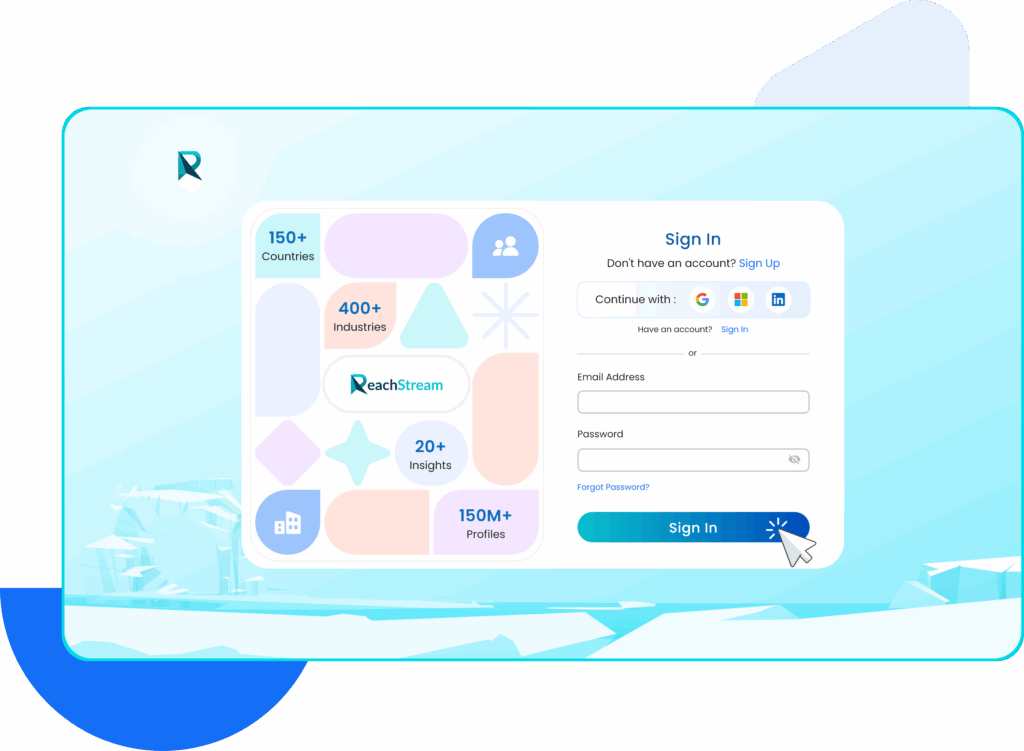
To begin the Salesforce CRM integration, SignIn to your ReachStream account using your business email credentials.
Access the Integrations Section
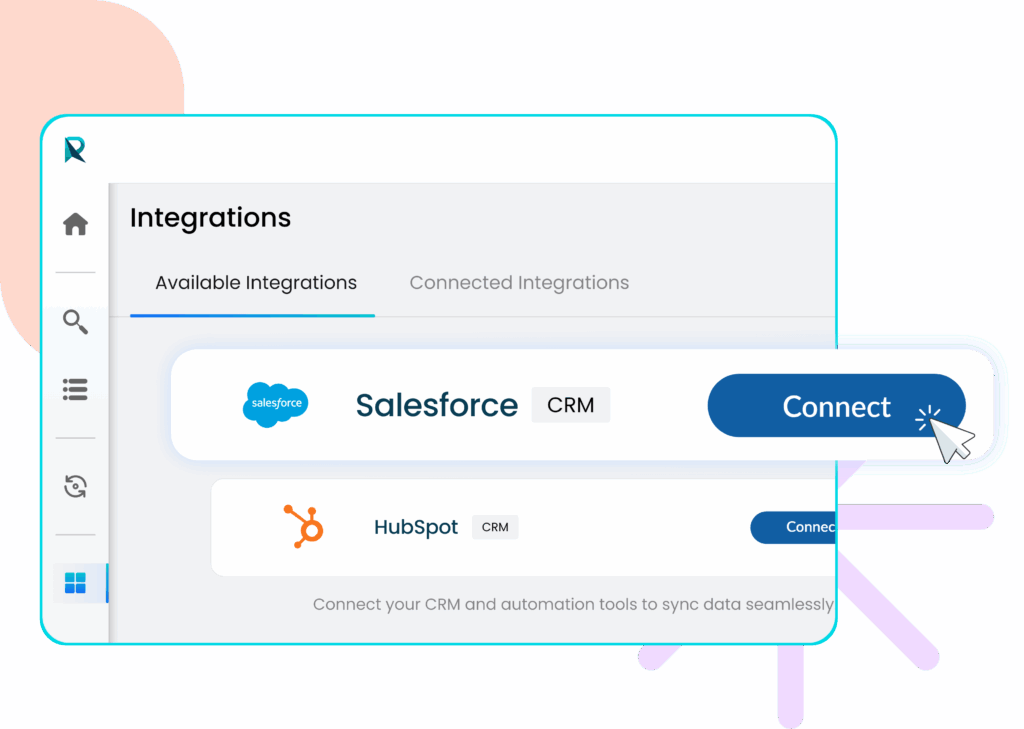
After signing into your ReachStream account, go to the left-side menu and click the Integration icon. This section shows all available CRM connections, including Salesforce, and serves as the starting point for setting up your integration.
Click the Connect button next to Salesforce to initiate the integration process.
Sign In to Your Salesforce Account
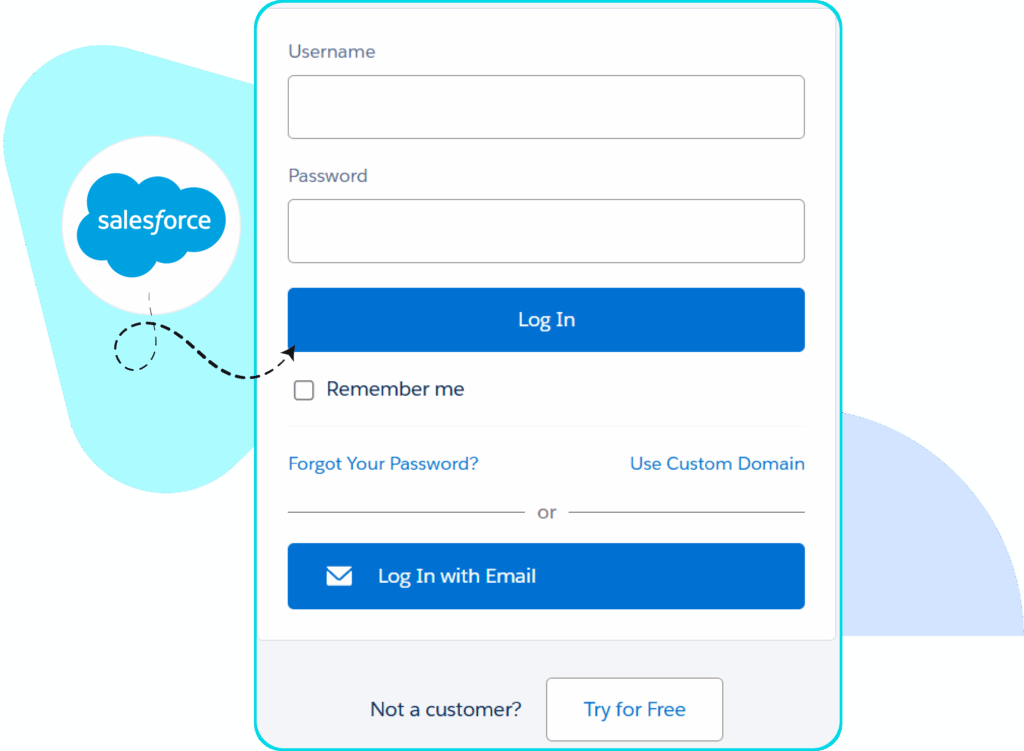
On the Salesforce login page, enter the username and password associated with your Salesforce account. Click the Log In button to access your CRM.
Note: If you don’t have a CRM account, you can create a free Salesforce CRM account before proceeding with the integration.
Check Salesforce Connection
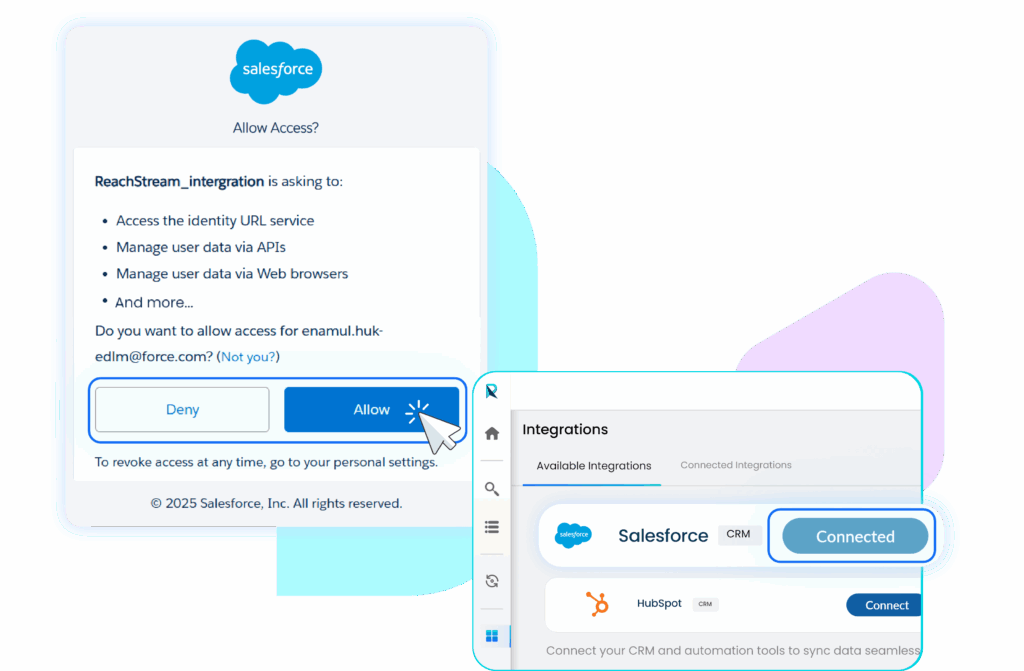
After logging into your Salesforce account, your Salesforce status will display as Connected in the ReachStream Integrations panel, confirming that both platforms are successfully linked. For first-time users, Salesforce will request access permissions. You must select Allow to complete the connection.
Confirm Your Connected Integrations
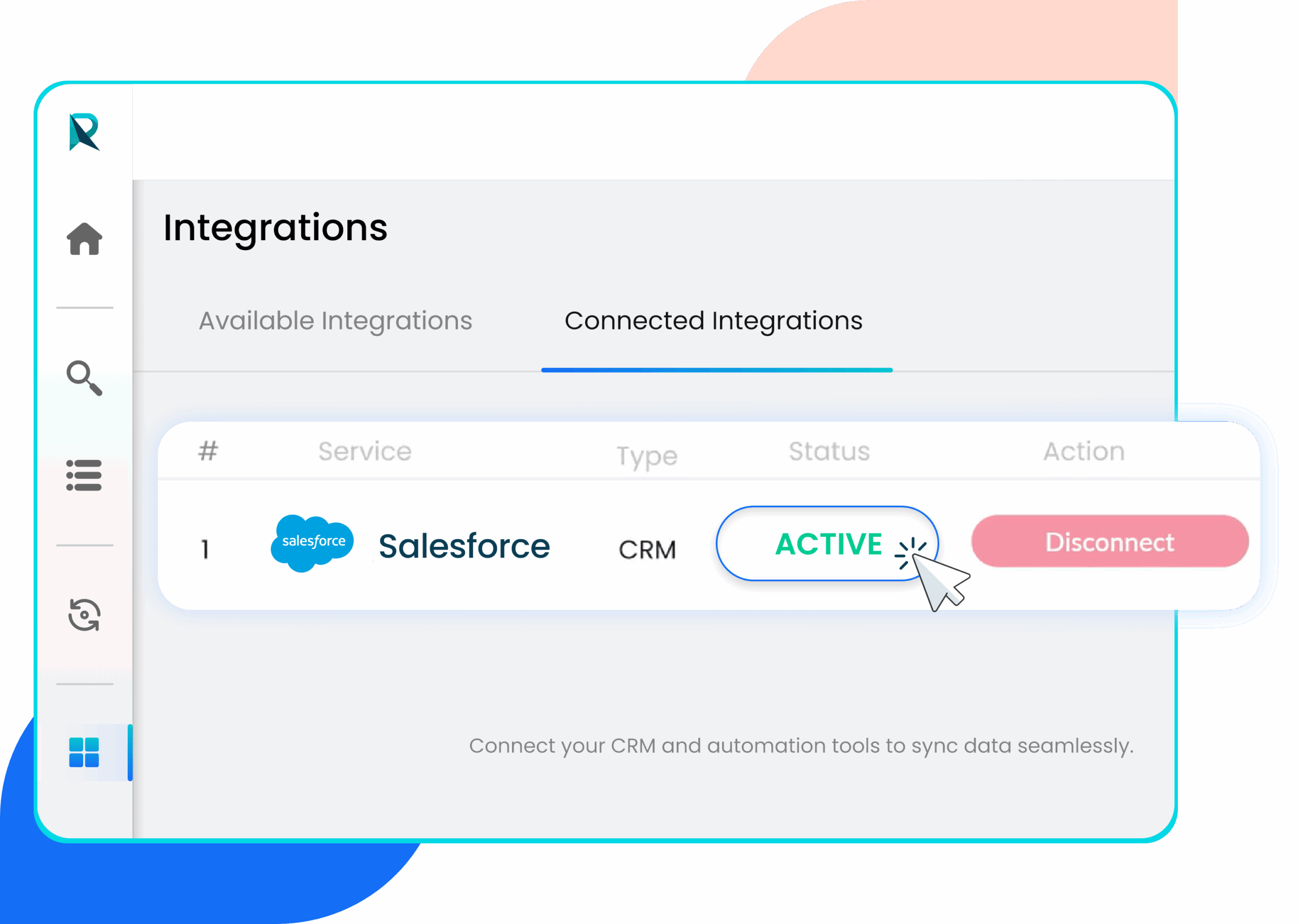
Navigate to the Connected Integrations tab to see your linked CRMs. Salesforce will be listed with a status marked ACTIVE, confirming the connection.
Pro Tip:If you ever need to disconnect from the connected CRM, click the Disconnect button, and a pop-up will appear asking you to confirm the disconnection.
Upload Your Ready to Download List to Salesforce CRM
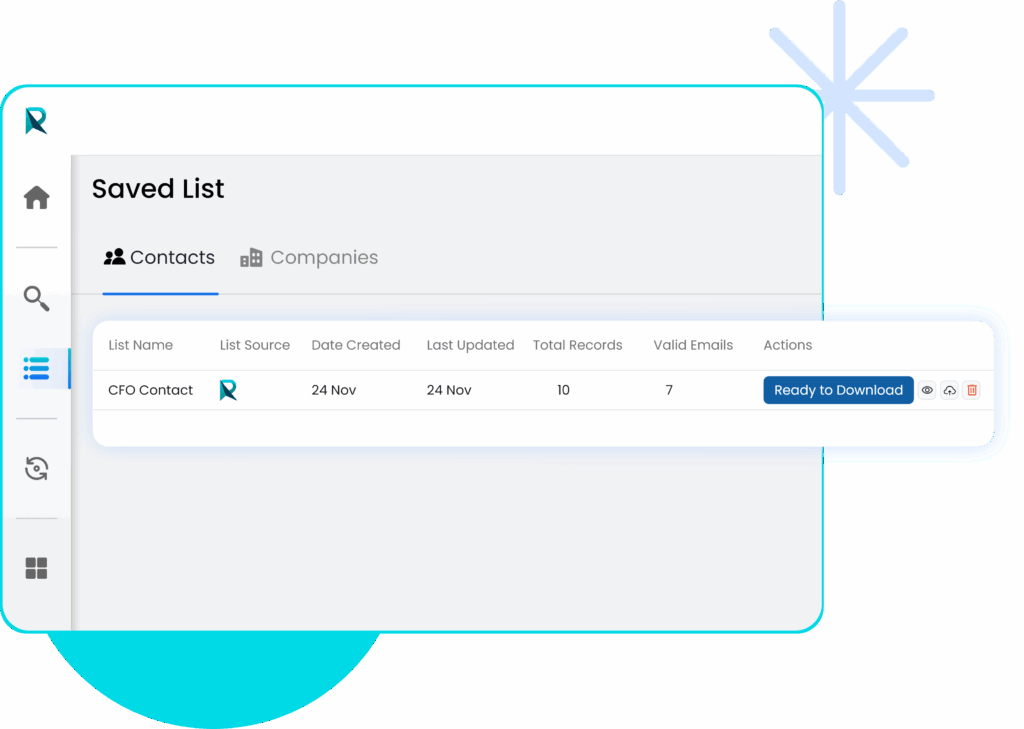
Once your ReachStream account is linked to Salesforce, go to the Saved List section in your ReachStream dashboard.
Select the verified ready to download list, then click the Upload icon to send your verified contacts directly to your Salesforce workspace.
Select Salesforce and Complete the Sync
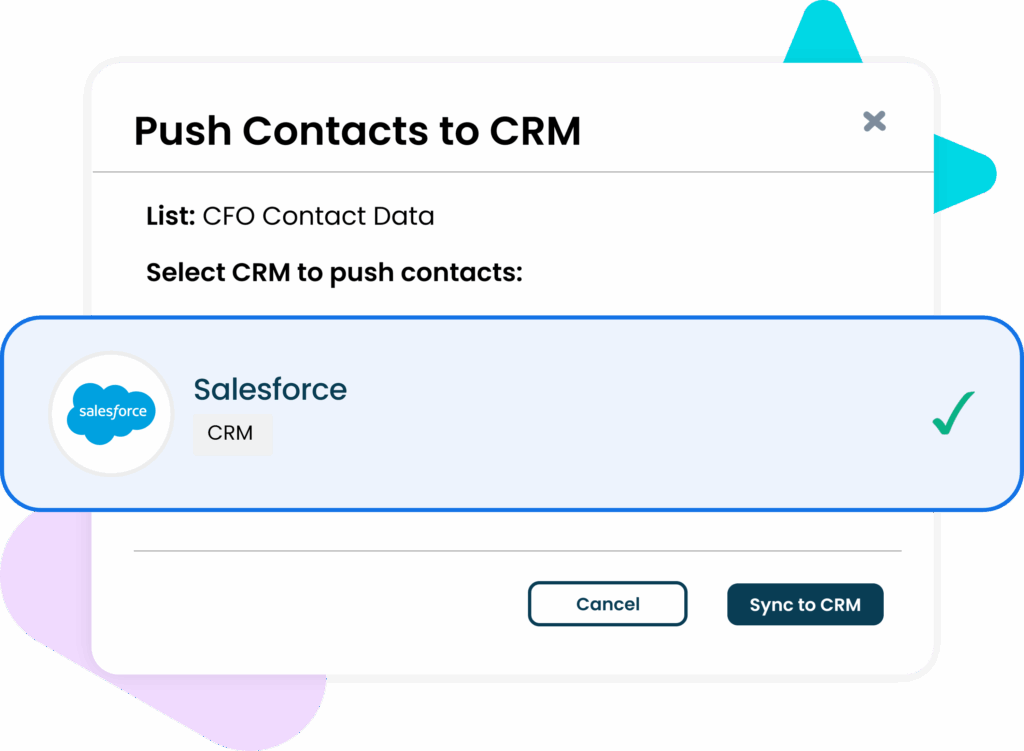
After clicking the Upload icon, a pop-up window will appear showing your available CRM connections. Select Salesforce and click Sync to CRM to start transferring your contacts. Once the sync is complete, you will see a confirmation message confirming the export was successful.
View Your Synced Contacts in Salesforce CRM
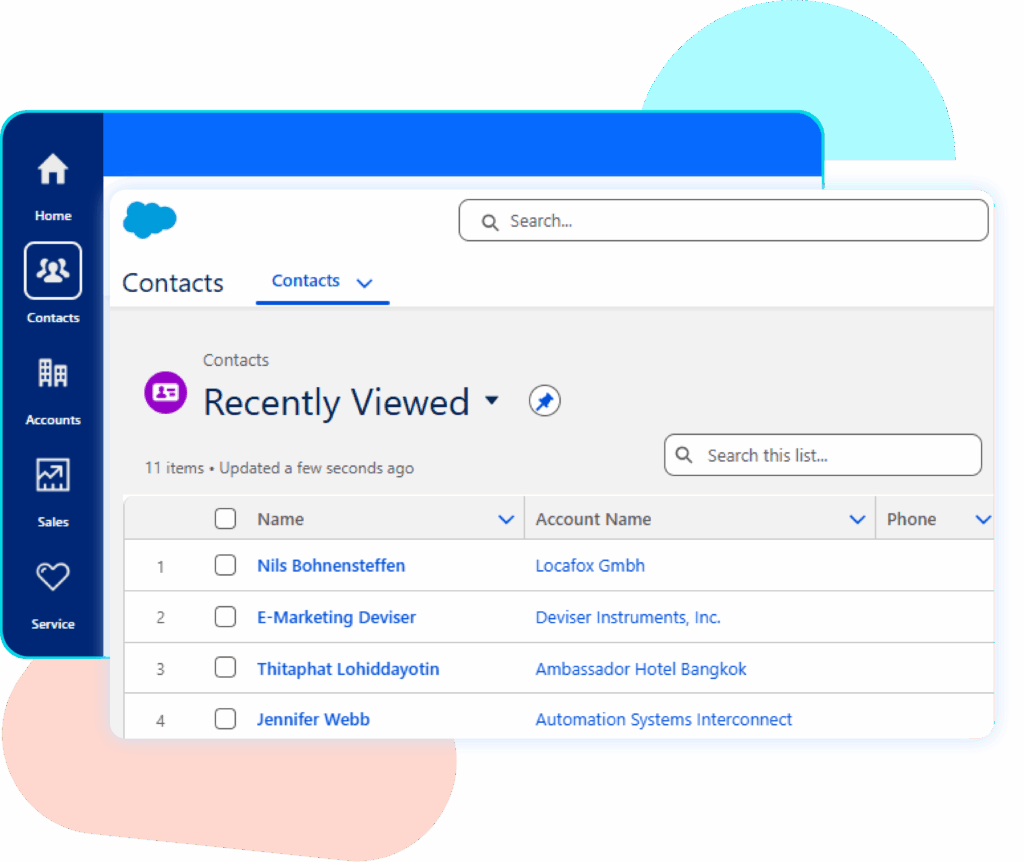
Once the sync is complete, open your Salesforce CRM and go to the Contacts section. All contacts exported from your ReachStream list will now be visible in your Salesforce database, and you can use this data to support upcoming outreach efforts.
Connect ReachStream Data with Salesforce CRM Seamlessly
Upgrade Your CRM Results with Reliable Data Syncing
ReachStream delivers verified global data that refines targeting and improves the performance of your sales and marketing activities.With ReachStream integrated into your Salesforce CRM, your outreach becomes more streamlined, and your teams follow a structured workflow that reduces manual effort and improves accuracy.
1. What are the benefits of integrating ReachStream with CRM?
Integrating ReachStream with your CRM provides verified contact and company data that improves targeting accuracy, improves outreach, and speeds upqualification. It also cuts down manual data work, reduces errors, and streamlines workflow across sales and marketing teams.
2. How does ReachStream’s global database support CRM users?
ReachStreamoffers 150M+ verified contacts and 15M+ company records across 150+ countries, giving CRM users access to extensive and reliable market coverage. This large dataset minimizes manual data collection and enhances targeting precision in campaigns.
3. How does ReachStream’s email verifier improve CRM accuracy?
ReachStream’sintegrated email verification system validates each email before syncing it into Salesforce. This guarantees high deliverability and lowers bounce rates in outreach campaigns.
4. What industries does ReachStream provide data for?
ReachStreamprovides specialized datasets across 400 industries, including healthcare, technology, finance, manufacturing, and more. These industry-specific lists allow precise targeting, helping businesses connect with the exact professionals they need.
5. Is multi-CRM integration available in ReachStream?
ReachStreamallows users to connect with multiple CRMs at the same time, keeping active links across various platforms. This helps teams manage data centrally while ensuring continuous synchronization across all systems.